_3.gif)
_1_1.gif)
 Azer Dadashev
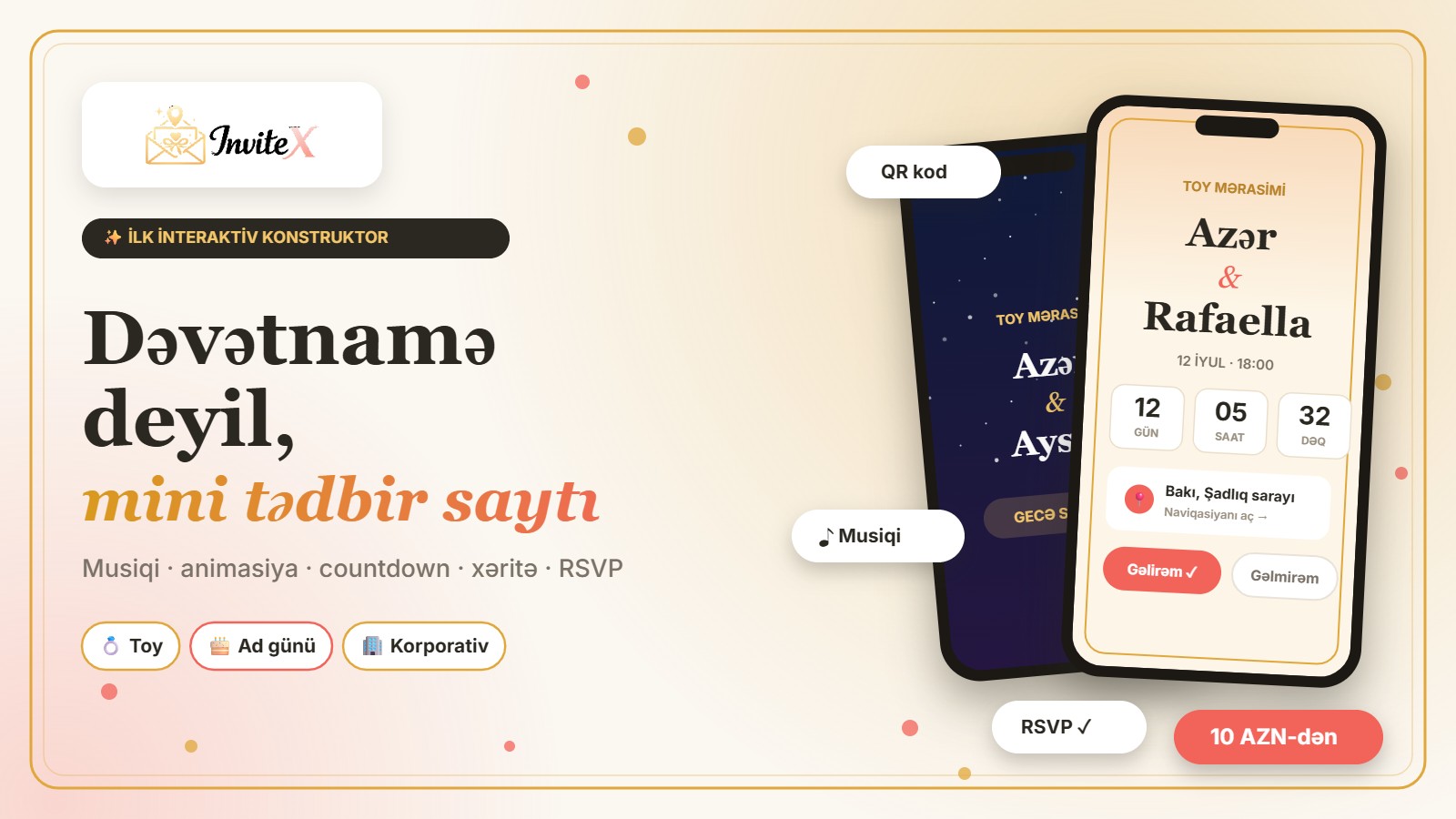
Not just an invitation — a mini event website
Pick a template, fill in the details, change the colour and font yourself. When your guests open the link they see an invitation that swipes like an Instagram Story — with music, animation, countdown, map and RSVP.
Azer & Rafaella · Wedding
A sample dashboard — the numbers update in real time.
10 steps ahead of an ordinary invitation
Guests don’t just look at a picture — they step into your event’s own website. Pick a feature.
RSVP confirmation
“Attending / not attending” and how many people — everything lands in your dashboard.
You: sees in a table who is coming and with how many guests.
Guest count
See the total guest count in real time and build a seating plan.
You: knows the total guest count and plans the seating ahead of time.
Map & navigation
Google Maps and directions in one tap.
You: shows the venue on a map, and guests start navigating with one tap.
Add to calendar
Guests add the event to Google Calendar or their phone calendar in one click.
You: keeps guests from forgetting the event with a calendar reminder.
Countdown & weather
Shows live how many days are left and the weather forecast for the day.
You: builds anticipation and the forecast helps guests prepare.
Photo gallery
Couple photo, cover photo, gallery — upload them all yourself.
You: uploads their own photos and cover from the dashboard any time.
Music
Choose from the ready library or add your own audio file.
You: puts a favourite song in the background of the invitation.
Video
Embed your own video, or a YouTube or Instagram video.
You: adds an introduction video of the event to the invitation.
QR code & check-in
Guest invitation, table number and check-in registration by QR.
You: checks guests in by QR at the door and shows their table number.
Animations
An envelope opens, birds fly, hearts and petals fall across the screen.
You: turns the invitation from a static picture into a live experience.
Full customisation
Colour, font, background, frame, button shape, section order.
You: reshapes the template to their taste — colour, font and section order.
Statistics
How many people viewed it, who confirmed — all on one screen.
You: tracks views and confirmations on one screen.
Ready in 5 steps
No coding, no hunting for a designer. Everything in the browser, in 10 minutes.
Pick a template
Choose among ready designs for a wedding, engagement, henna night, birthday or corporate event.
Write the details
Names, date, time, venue, dress code, contact number.
Change the design
Colour, font, background, animation, decor, frame, section order — tune it yourself.
Preview & payment
Check the mobile and desktop views, then pay.
Share the link + QR
WhatsApp, Telegram, Instagram — or print the QR code.
For which event?
Every ready template is fully customisable — from colour to section order.
Wedding
Wedding ceremony, engagement, henna night, proposal visit, nikah.
Birthday
Kids’ birthday, adult birthday, surprise party.
Corporate
Opening, seminar, training, conference, workshop.
Ready templates
Classic Elegant, Romantic Garden, Modern Minimal, Swans, Henna Night, Happy Birthday, Corporate Prestige, Night Sky and more.
Pay once, use it right up to the event
No subscription. Edit the invitation as much as you like.
The most popular way to start.
- One-time payment
- No subscription
- Ready design templates
- Music
- Animations
- RSVP (attending / not attending)
- Google Maps and navigation
- QR code
- Countdown
- Photo gallery
Full capabilities.
- One-time payment
- Everything in Simple
- Video (your own file / YouTube)
- More animations — birds, swans, confetti
- Custom design — full colour and font control
- RSVP statistics — guest list, export
- Premium templates
- Event programme section
- Priority support
Payment goes through epoint.az — your card details are not stored with us. You can top up your balance by card and then spend it on invitations.
The guest’s journey
No app, no sign-up — just a link.
Opens the link
The invitation is an ordinary web link — it opens in the browser of any phone.
Swipes through
An invitation that swipes like a Story — with music, animation, countdown and map.
Sends an RSVP
The attending/declined reply goes straight to your dashboard.
Frequently asked questions
Can I edit the invitation later?
Yes. Even after payment you can change the text, date, photos and design from your dashboard at any time. The link doesn’t change.
Do guests have to install an app?
No. The invitation is an ordinary web link — it opens in the browser of any phone.
Where do RSVP replies go?
Straight to your dashboard. Who is coming and with how many guests — you see it all in a table and can download it.
How long does the link stay active?
The link stays active for 6 months after the event date, and guests can view the photo gallery.
How do I pay?
By card through epoint.az. You can top up your balance and then use it for invitations.
Can I add my own photo and music?
Yes. You can upload a cover photo, a couple photo, a gallery and your own audio file. On the Premium plan, video too.
Make your event unforgettable
Prepare it in 10 minutes and share it with one link. Build your own mini event website without any code.
Start now — 10 ₼ →A product by Bakuvi Solutions