_3.gif)
_1_1.gif)
 Azer Dadashev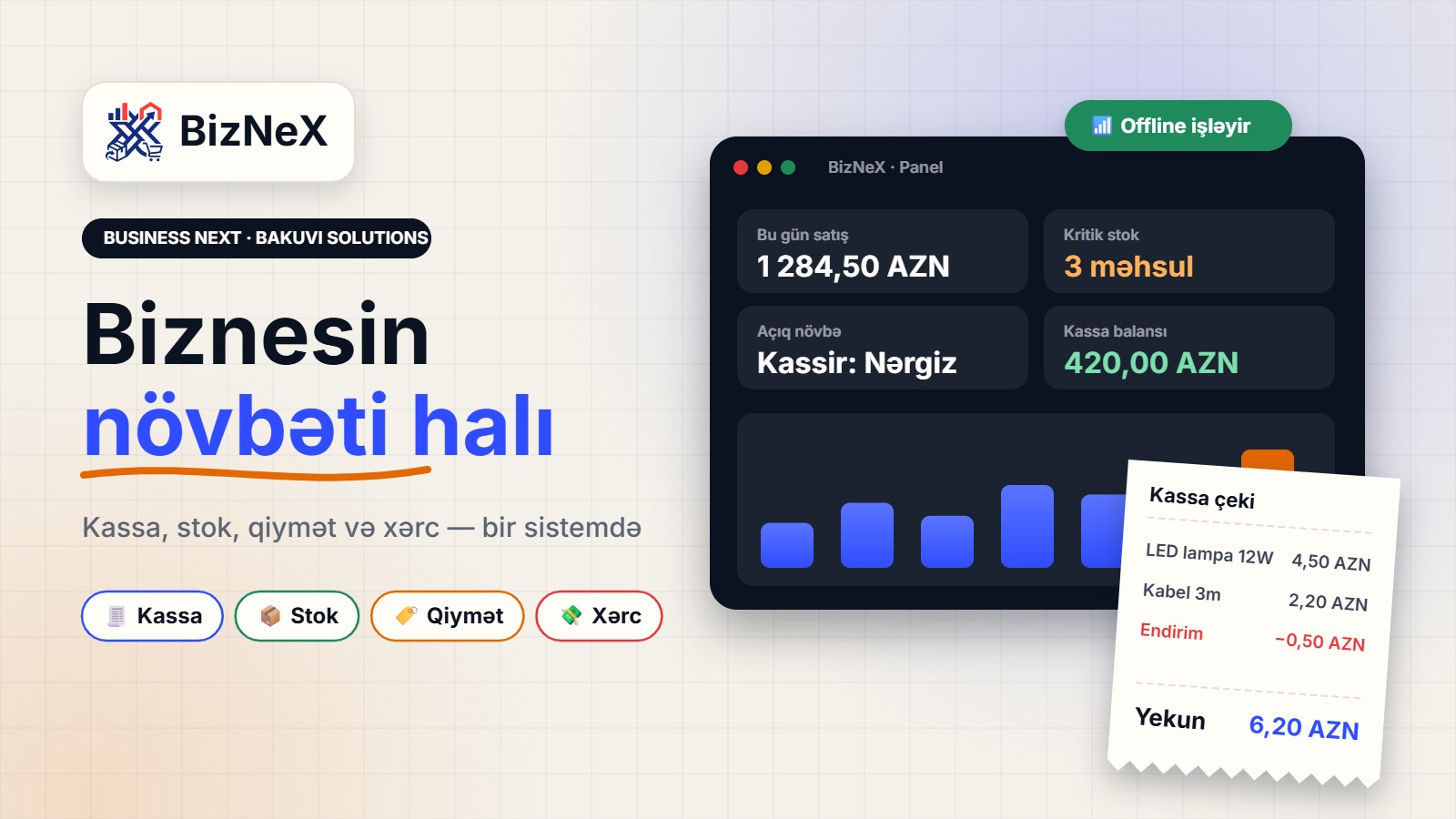
The next level of your business, managed right here
Pricing, stock, cash register, expenses and budget — in one system. The store dashboard, the cashier’s Windows app and your full control.
Receipt
The dashboard and the register speak the same language.
What does BizNeX do?
Built for the daily work, not just for reports. Pick a module and see what it gives you.
Cash register
Barcode, credit sales, discount/markup permissions, cash in/out and Z-report. Sales never stop when the internet drops — they are saved locally and sent to the server once you’re back online.
You: opens the shift, scans the barcode, prints the receipt — and the Z-report is ready at day’s end.
Stock
Goods receipt, transfers, quick count adjustments and critical-level alerts. Branches can see each other’s stock — only with permission.
You: sees critical levels ahead of time and records receipts and transfers in a few clicks.
Pricing
Retail, wholesale and per-customer percentage. The cashier can change a price only when permitted — and you can set a limit on it.
You: keeps full control of prices while giving the cashier just the authority that’s needed.
Expenses & budget
Categorised expenses, receipts/PDF and daily profit. It doesn’t hide where the money goes.
You: sees where money goes — by category, together with the daily profit.
Multi-branch
One company, several stores. The master panel keeps each customer separate — data never gets mixed.
You: runs every branch from a single panel while each company’s data stays in its own scope.
Support
Write a ticket from the dashboard and we reply. A bug, a suggestion, an urgent matter — all in one place.
You: opens a ticket and gets an answer in one place, with no lost calls or messages.
The path of one sale
From opening the shift to the end-of-day report — every step is recorded.
The shift opens
The cashier enters the starting cash and opens the shift. From that moment every operation is recorded under their name.
The item goes on the receipt
The barcode is scanned and the price and stock come in automatically.
Discount (if allowed)
A discount or markup is only available if the admin granted the permission and it stays within the limit.
The sale is recorded
The sale is saved locally. When the internet is back it is sent to the server — nothing gets lost.
The day is closed
The Z-report, cash balance and daily profit are ready. The owner sees everything in the dashboard.
The Windows register app
Simple for the cashier, powerful for your control.
A single exe
Runs from any folder — no lengthy installation.
Changing the path is no problem
Move the program to another folder and there’s no need to reinstall.
Updates over the network
A new version arrives over the network — no need to visit each register.
Works offline
Sales continue without internet and are sent automatically afterwards.
Plans
Monthly or yearly. Prices are managed from the master panel.
The essential plan for a single store.
- Branches: 1
- Users: 3
- Products: 1000
- Register app (Windows)
- Stock and product management
- Daily Z-report
- E-mail support
For growing businesses — multiple branches and broader reports.
- Branches: 5
- Users: 15
- Products: 20000
- Stock transfers between branches
- Credit sales and customer debt tracking
- Cashier permissions and price limits
- Detailed reports and audit log
- Priority support
An unlimited plan for store chains.
- Branches: unlimited
- Users: unlimited
- Products: unlimited
- Custom reports and integrations
- Your own logo and brand name
- Dedicated account manager
- 24/7 support
Accounts aren’t opened by open registration. You send an application, and we create the company and the login from the master panel. Payment by cash/card — an online gateway comes later.
How do I start?
Three steps — the team handles the rest.
Send an application
Fill in the application form on the site, or pick a plan and press “Ask about this plan”.
We create your account
The team creates your company and login in the master panel.
Open the register
Install the Windows app, open the shift and make your first sale.
Frequently asked questions
Does the register work without internet?
Yes. The sale is saved locally and sent to the server when the internet comes back.
Can the cashier change the price?
Not by default. They can add a discount or markup only when the admin grants the “price change” permission. A limit can be set too.
Can I run several stores?
Yes. The number of branches, users and products depends on the plan limit.
Is my data visible to other stores?
No. Each company’s data stays in its own scope. The master panel is only for subscription, support and technical management.
How much cash does the register open with?
When the shift starts, the cashier records the cash they hold. During the day, besides sales, cash in/out is recorded too — if permitted.
Move your business to its next level
Send an application — we’ll create your company and login.
Apply now →A product by Bakuvi Solutions